Money, but Visible.
Every dollar visible. Every bill anticipated. Manual tracking with local-first privacy.
Free download • Optional in-app purchases
iPhone & iPad • iOS / iPadOS 26 or later • No bank connection

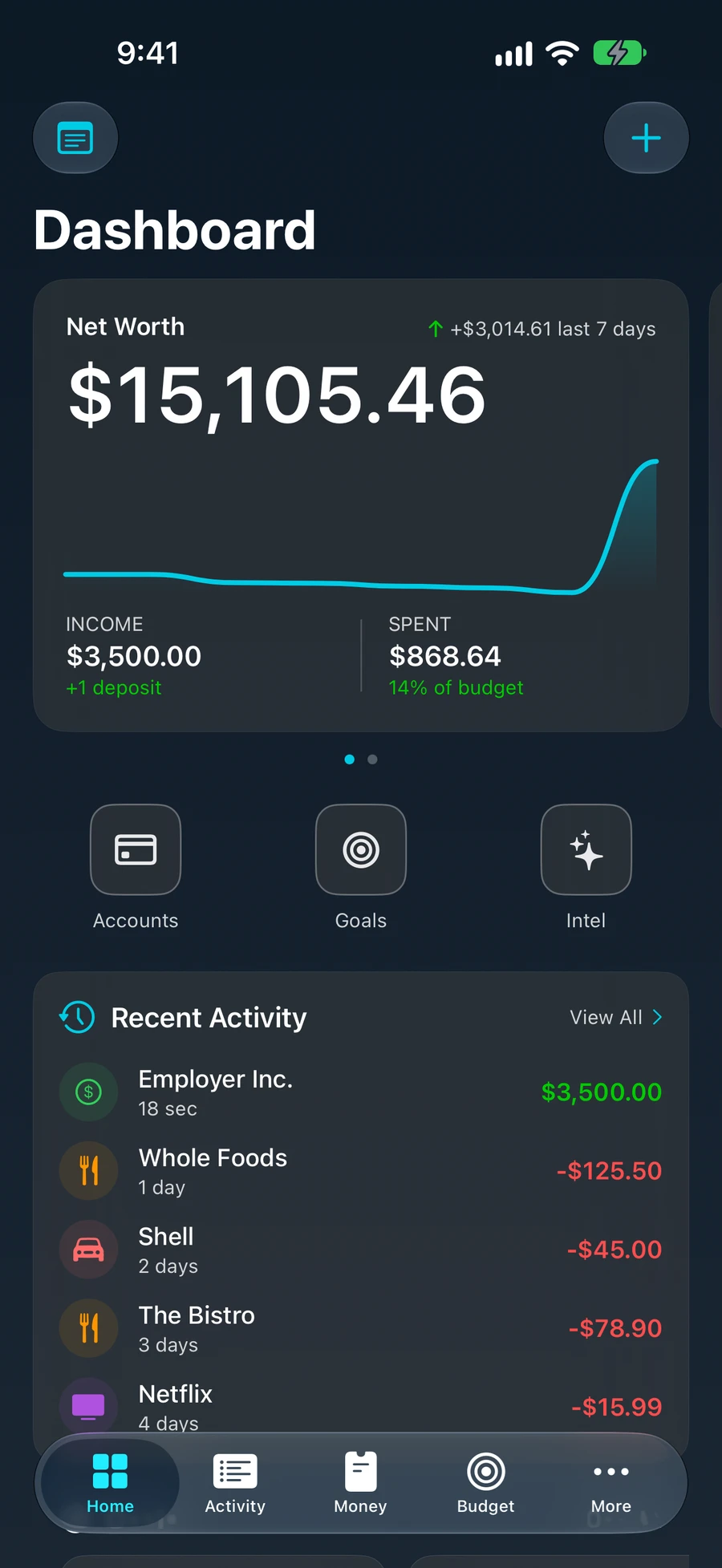
"Where did my money go?"
You make good money. But every month, it vanishes into subscriptions, impulse buys, and forgotten autopays. You're not bad with money — you just can't see it.
Stop the Mental Math.
Know exactly what's safe to spend after every bill, subscription, and saving goal is accounted for. Real math — not guesswork.
You're on the right track.
Let's build momentum.
Gamify Your Health.
Your Financial Intelligence score isn't a credit score — it's your real-time financial IQ. Watch it rise as you build better habits.
See the Future.
Your net worth isn't a number — it's a trajectory. Visualize where you're heading months in advance based on today's habits.
Simple by design.
From zero to full financial clarity in under two minutes.
Setup
Create your accounts manually in seconds. Private on-device tracking with zero bank linking.
Track
Log transactions with ease. Smart categorization, real-time budgets, and local-only insights.
Grow
Watch your Financial Intelligence score rise. Set goals, hit milestones, and build wealth.
Your data. Your rules.
KineXi keeps financial records local, protects stored files with iOS security, and gives you explicit control over exports.
Complete File Protection
Local financial data uses Apple's Complete protection class and is inaccessible while your iPhone is locked.
Encrypted Backups
Backups created by KineXi use AES-GCM-256 encryption before you save or export them.
No Bank Connection
KineXi never asks for bank credentials. You control the accounts and transactions you enter.
On-Device Intelligence
Supported financial insights are processed on your iPhone instead of a cloud AI service.
Frequently Asked Questions
Clear answers about downloading, privacy, and tracking with KineXi.
Need help getting started? Read the user guide or contact support.
Does KineXi link to my bank account?
No. KineXi does not connect to your bank, read Apple Pay activity, or request bank credentials. You add and review transactions yourself. Financial records are stored locally on your device; you decide when to export or share them.
Is KineXi free to download?
Yes. KineXi is available to download free from the App Store, with optional in-app purchases for KineXi Pro. Current prices, billing periods, and any trial eligibility are shown in the app before you purchase. No email signup or invitation is required.
Which devices support KineXi?
KineXi supports iPhone and iPad running iOS 26 or iPadOS 26 or later. Apple Intelligence features have additional device, language, and region requirements. You can use manual tracking without Apple Intelligence.
Do I need Apple Intelligence to use KineXi?
No. You can enter transactions manually and manage your accounts and budgets without Apple Intelligence. Supported AI features require Apple Intelligence to be available and enabled on your device, with its on-device models downloaded. Review AI suggestions before saving.
Is KineXi available on Android?
KineXi is available on the App Store for iPhone and iPad. There is currently no Android version.
How does KineXi keep my financial data private?
KineXi stores financial records locally using Apple's Complete file-protection class, offers AES-GCM-256 encrypted backups, requires no bank connection, and processes supported AI insights on your device. App Store purchases, website analytics consent, and feedback are covered separately in the Privacy Policy.
What is the Financial Intelligence score in KineXi?
The Financial Intelligence score is a real-time 0–100 health score that measures your financial behavior — including budget adherence, savings rate, debt ratio, and spending habits. It updates as you log transactions and rewards you for making smart financial decisions.
How is KineXi different from Mint, YNAB, or Monarch Money?
KineXi focuses on fast manual entry, local financial records, and on-device insights. It combines accounts, budgets, savings goals, bills, loans, investments, notes, and net worth tracking without requiring bank credentials or an automatic bank feed.
How do I track my spending in KineXi without a bank connection?
Type a transaction, use supported voice entry, or scan a receipt with the camera. Voice and camera features require the relevant device permissions. Review the amount, date, account, and category before saving; supported on-device AI can suggest a category.
What is a safe-to-spend amount and how does KineXi calculate it?
Safe-to-spend estimates what remains after recorded spending and planned commitments, including upcoming bills and savings goals. It depends on the accounts, income, bills, and transactions you enter. Keep those records current and review your actual balances before making spending decisions.
Does KineXi sync my data between devices?
KineXi stores financial records locally on each device and does not automatically sync them between devices. You can create an encrypted backup and choose where to save or share it, including your own iCloud Drive. Saving a backup to iCloud Drive is separate from live data synchronization.
Which languages are available?
KineXi is available in English, Spanish, Tamil, and Arabic. Apple Intelligence language availability is separate from the app language.
How do I get help or restore a purchase?
Open the user guide from this website for setup and feature instructions, or email support@kinexi.app. Use Restore Purchases in the app to restore eligible purchases made with your Apple Account. Manage or cancel subscriptions in your device’s Apple subscription settings. Never send financial records or bank credentials with a support request.